Free car rental invoice templates

Vehicles earn nothing while you’re stuck doing paperwork. Our free car rental invoice templates give you a clean way to bill customers for the hire period, fuel, mileage, insurance add-ons and any deposit deductions. Use this template whether you rent out a single van, run a fleet of cars, or hire out trucks by the day.

If you rent out property, equipment or other assets as well as vehicles, see our general rental invoice template for a version that isn’t vehicle-specific.

Want things automated? Try our invoicing app to streamline your process and manage your invoices on our dashboard.

4.8 ★

14000 + Ratings

4.6 ★

55000 + Reviews
Woman in a blue turtleneck typing on a laptop as a blue printer outputs an invoice. Gray background with a hanging plant.

Download free invoice templates for your car rental business

Use our car rental and vehicle hire invoice template below for a quick and easy way to bill your customers. Select from the different file formats, including Word, Excel, Google Sheets, Google Docs and PDF, to edit them on.

Download our car rental invoice templates for free and customise them for your business. Common hire line items are already included (base rate, extra days, fuel, insurance and delivery) so you’re not building the invoice from scratch each time.

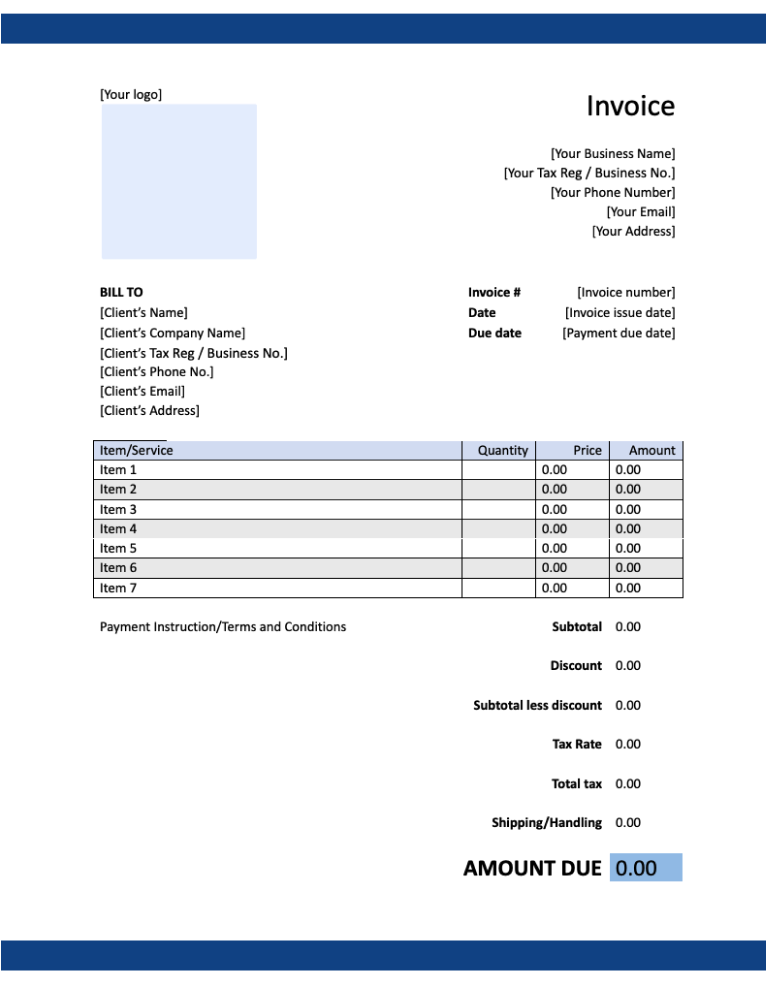
Style #1

Blue-accented invoice template with dark-blue headers, placeholder fields for business and client details, and a zeroed payment table.

Google Sheet

Create a copy

Google Doc

Create a copy

MS Excel

Save to device

MS Word

Save to device

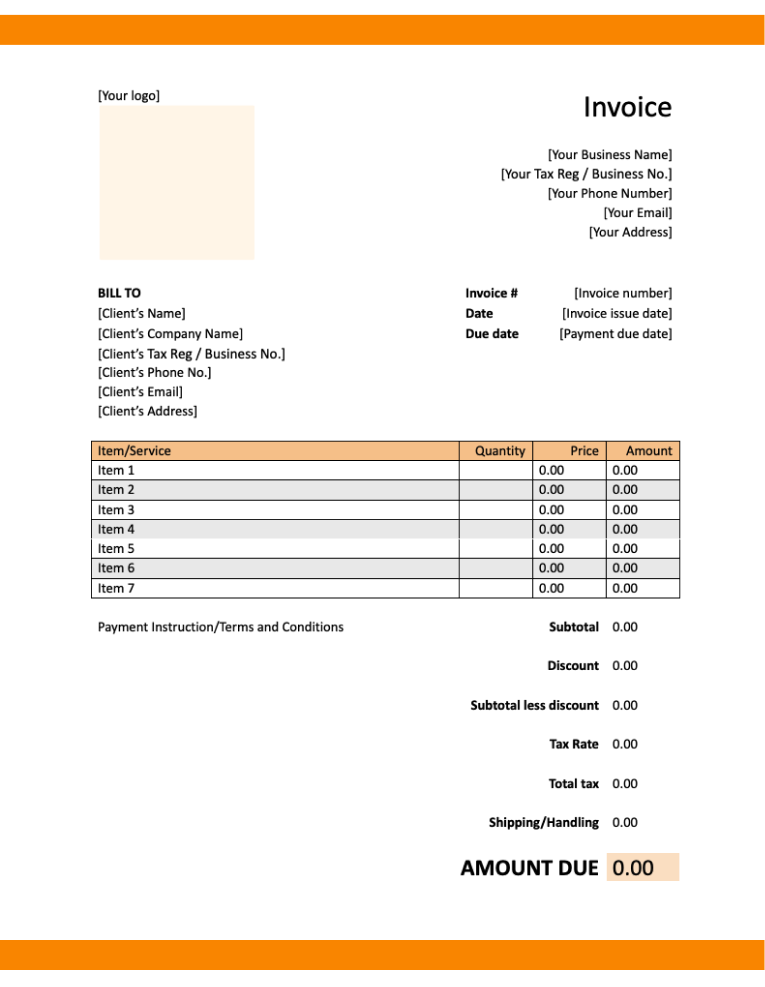
Style #2

Blank invoice template with an orange header and footer, beige logo box, and placeholders for business, client, and itemized billing details.

Google Sheet

Create a copy

Google Doc

Create a copy

MS Excel

Save to device

MS Word

Save to device

View our complete selection of invoice templates for a variety of businesses and industries.

Download free Special Purpose invoice templates

Blank Invoice Templates

Downloadable free Blank invoice templates

Consulting Invoice Templates

Downloadable free Consulting invoice templates

Contractor Invoice Templates

Downloadable free Contractor invoice templates

Deposit Invoice Templates

Downloadable free Deposit invoice templates

Donation Invoice Templates

Downloadable free Donation invoice templates

Freelance Invoice Templates

Downloadable free Freelance invoice templates

Printable Invoice Templates

Downloadable free Printable invoice templates

Professional Invoice Templates

Downloadable free Professional invoice templates

Sales Invoice Templates

Downloadable free Sales invoice templates

Shipping Invoice Templates

Downloadable free Shipping invoice templates

Tax Invoice Templates

Downloadable free Tax invoice templates

Wholesale Invoice Templates

Downloadable free Wholesale invoice templates
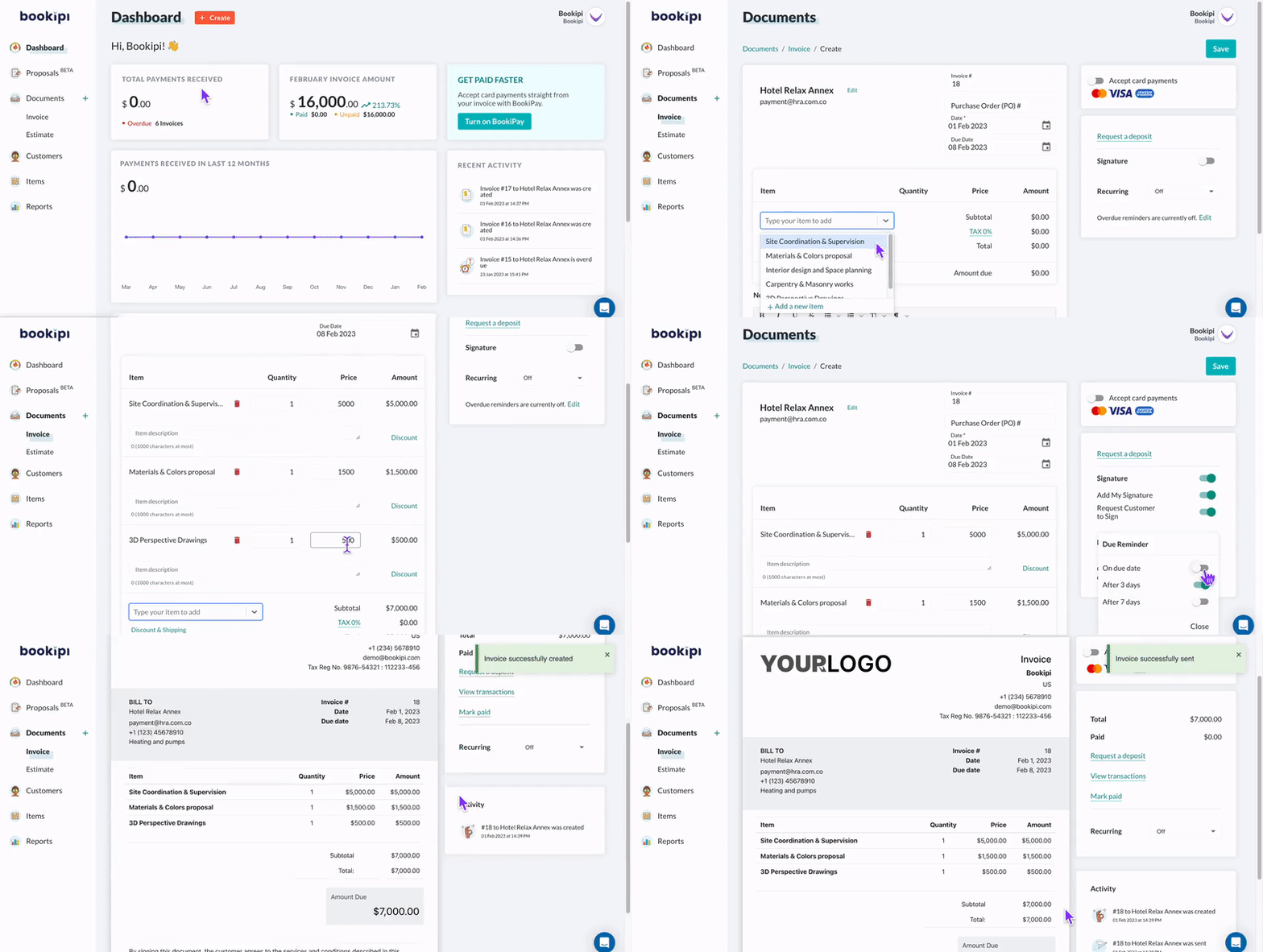
Alternative to invoice templates

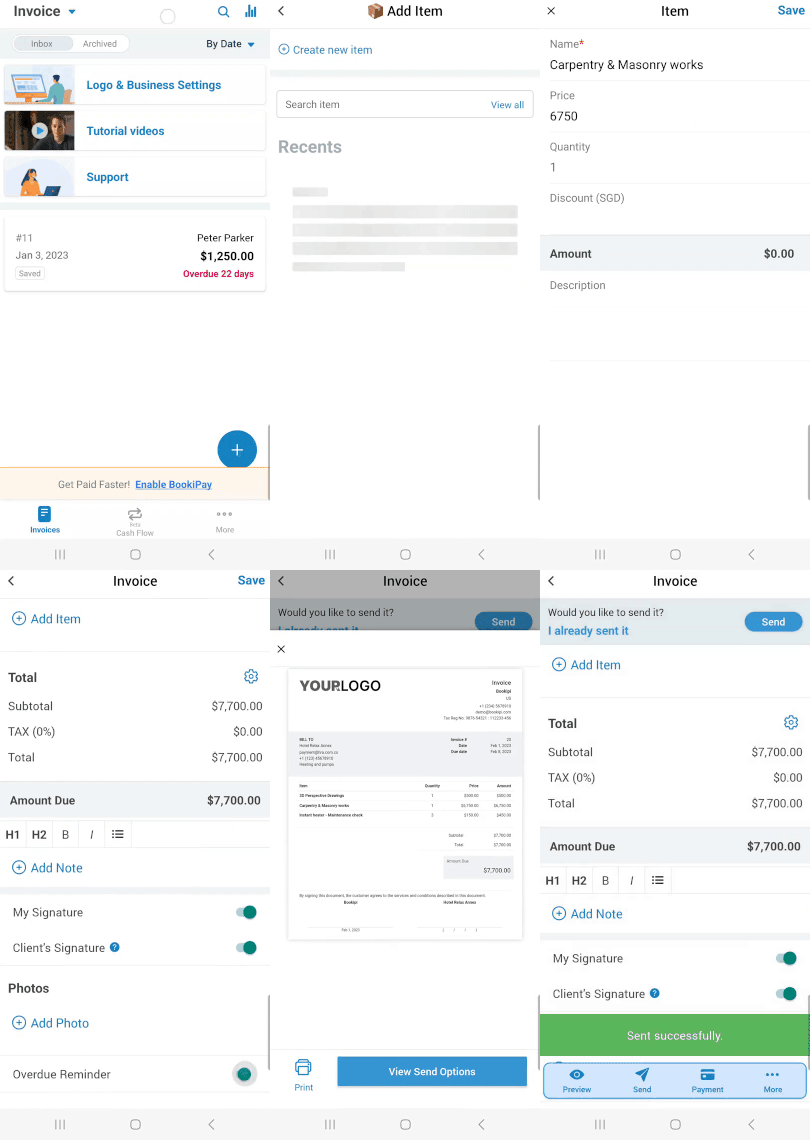
Fastest way to invoice with Bookipi – on our Web or Mobile app. Invoice the way you want with real-time synchronisation, draft it on the web app and send it from your smartphone.

Bookipi web dashboard with teal and purple accents, showing financial metrics, recent invoice activity, and left navigation.
Mobile app screen displaying an overdue invoice of $1,250.00 for Peter Parker (22 days overdue) with menu options.

What to include on a car rental invoice

A car rental invoice does more work than a standard sales invoice. It has to prove which vehicle went out, for how long, in what condition, and what the customer agreed to pay for on top of the daily rate. Get these four areas right and most billing disputes disappear.

1. Rental period

State the pick-up and drop-off dates and times, not just the dates. A car hire is usually charged in 24-hour blocks, so an hour late can mean an extra day. Include the rental agreement or booking reference, the pick-up and return locations, and the vehicle itself: make, model, year, registration or plate number, and color if you run several of the same model.

Bill the base rate as its own line (daily, weekly or monthly), then list any extra hours or days separately so the customer can see exactly where the extra charge came from. If the vehicle was returned to a different branch, add the one-way drop-off fee as its own line too.

2. Mileage and fuel charges

Record the odometer reading at pick-up and at return, and show the total distance travelled. If your rate includes a mileage or kilometre allowance, show the allowance, the distance actually driven, and the excess distance charged at your per-km or per-mile rate.

Fuel works the same way. Spell out the policy you’re billing under:

  • Full-to-full: no fuel charge if the tank comes back full. If it doesn’t, list the fuel added plus any refuelling service fee.
  • Prepaid fuel: charge a single upfront line at the agreed rate.
  • Full-to-empty: show the prepaid tank charge and note that unused fuel isn’t refunded.

Attaching the fuel receipt to the invoice makes a refuelling charge much harder to argue with.

3. Deposits & deductions

If you took a bond or pre-authorisation at pick-up, show it on the invoice as a separate line rather than folding it into the total. List the deposit amount held, any deductions with a short reason for each (damage, cleaning, missing fuel, toll or traffic fines plus your admin fee, late return), and the balance being refunded.

Photos of the vehicle at pick-up and return are your evidence here. Reference them in the invoice notes. If you’d rather collect the bond up front as its own document, you can add a security deposit to your invoice before the hire starts.

4. Insurance & add-ons

Optional extras are where invoices get contested, so give each one its own line with the daily rate and number of days:

  • Collision damage waiver or excess reduction
  • Theft protection
  • Roadside assistance cover
  • Additional driver fee
  • Young driver or senior driver surcharge
  • Child seat, GPS unit, toll transponder, ski rack or trailer hitch
  • Delivery and collection

Show the customer’s remaining excess or liability amount in the notes, even when it isn’t a charge. It confirms what they agreed to and saves a phone call later.

Car rental invoice FAQs

Can I make my own car rental invoice?

Yes. You can build one from scratch, start from a template, or use an invoice generator app like Bookipi Invoice. For a rental business, the invoice is the record that ties a customer to a specific vehicle for a specific period, so detail matters more than it does in a straightforward sale.

At minimum, include the rental agreement number, the vehicle’s make, model, year, and registration, the pick-up and return date and time, and the odometer readings at both ends. Then break the charges out line by line: base hire rate, extra days or hours, mileage excess, fuel, insurance waivers, additional driver and equipment fees, and any deposit deductions. Add your payment terms, accepted payment methods, and a note on the fuel policy and excess that applied. A customer who can see how each figure was reached is far less likely to dispute the total.

What are the alternatives to car rental invoice templates?

Templates work well for occasional hires, but they get slow once you’re turning vehicles around daily. Every invoice means re-entering the same customer and vehicle details, recalculating extra days and mileage by hand, and keeping track of which deposits you’ve refunded.

An invoicing solution like Bookipi removes most of that repetition. Customer and invoice details are saved, so a repeat hirer takes a few taps. Totals, taxes and invoice numbers calculate themselves, and you can send the invoice from your phone at the return bay rather than back at a desk. Digital signatures, card payments and read receipts also help you close out a hire and get paid before the customer drives off.

How do I create a car rental invoice?

Here are the items a car rental or vehicle hire business should include on an invoice:

  1. Your business name, contact details, logo and branding
  2. Your customer’s name, contact details and driver’s licence number
  3. Unique invoice number
  4. Invoice issue date and payment due date
  5. Rental agreement or booking reference number
  6. Vehicle make, model, year, registration or plate number
  7. Pick-up date, time and location
  8. Return date, time and location
  9. Odometer reading at pick-up and at return, plus total distance traveled
  10. Base hire rate and the number of days, weeks or hours charged
  11. Mileage allowance, distance driven over the allowance, and the excess rate applied
  12. Fuel charges and the fuel policy they were billed under, with receipts attached
  13. Insurance and protection products (collision damage waiver, excess reduction, theft protection, roadside assistance)
  14. Additional driver fees and any young or senior driver surcharge
  15. Optional equipment — child seats, GPS, toll devices, racks
  16. Additional fees such as one-way drop-off, delivery and collection, late return, cleaning, and tolls or traffic fines with your admin fee
  17. Security deposit held, any deductions with reasons, and the balance refunded
  18. Any tax or GST payable
  19. Discounts for corporate accounts or regular hirers
  20. Invoice total after discounts
  21. Accepted payment methods, bank details and payment terms
  22. Terms and conditions, including your excess and damage policy
  23. A short note thanking the customer for their business

Is there a free invoice creation app I can use to make invoices?

There are many free invoice making apps, and we believe the Bookipi Invoice app is the best invoicing solution for small businesses that is free to use on as a mobile app. Download the free Bookipi invoice app from the App store for iOS and Play store for Android. You can send up to 3 invoices every 30 days, for free!

How to make an invoice on iPhone?

Bookipi Invoice is the best free invoice app for iPhone. Simply download the mobile app, sign up and get started with making an invoice to send to customers in minutes. Add your saved customer and invoice item information to new invoices with a few taps. With our cloud invoicing solution, your data syncs across all devices including mobile app and web app. This means that you can pick up from where you left off with your invoicing on any of your devices where you’ve logged into your Bookipi account.

How to make an invoice on Android devices?

Sending a free invoice from our Android invoicing app is simple. Download the Bookipi app from the Play Store, setup or login to your account and you’re ready to start invoicing. Add a customer, create an invoice and add your invoiced items in minutes, hit send and you’re done. Bookipi offers the best free invoice app for Android. Download the free Android invoicing app and learn how to send an invoice in under a minute. 

Download free invoice templates by Job or Business Types

Accounting Invoice Templates

Downloadable free Accounting invoice templates

Auto Repair Invoice Templates

Downloadable free Auto Repair invoice templates

Car Rental Invoice Templates

Downloadable free Car Rental invoice templates

Catering Invoice Templates

Downloadable free Catering invoice templates

Cleaning Invoice Templates

Downloadable free Cleaning invoice templates

Construction Invoice Templates

Downloadable free Construction invoice templates

Dentist Invoice Templates

Downloadable free Dentist invoice templates

Design Invoice Templates

Downloadable free Design invoice templates

Handyman Invoice Templates

Downloadable free Handyman invoice templates

Hotel Invoice Templates

Downloadable free Hotel invoice templates

Lawn Care Invoice Templates

Downloadable free Lawn Care invoice templates

Legal Invoice Templates

Downloadable free Legal invoice templates

Marketing Invoice Templates

Downloadable free Marketing invoice templates

Moving Company Invoice Templates

Downloadable free Moving Company invoice templates

Musician Invoice Templates

Downloadable free Musician invoice templates

Photography Invoice Templates

Downloadable free Photography invoice templates

Rental Invoice Templates

Downloadable free Rental invoice templates

Roofing Invoice Templates

Downloadable free Roofing invoice templates

Minimalist app icon: a white single-stroke briefcase with a dollar sign on a rounded emerald-green square background.
Small Business Invoice Templates

Downloadable free Small Business invoice templates

Therapy Invoice Templates

Downloadable free Therapy invoice templates

Trucking Invoice Templates

Downloadable free Trucking invoice templates
Get started in minutes

5-minute setup, no credit card needed.

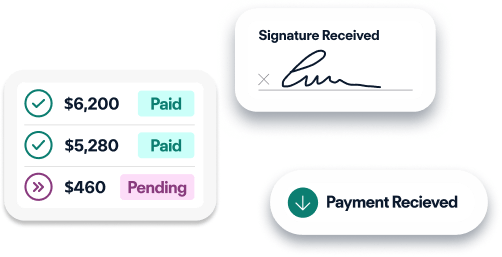
Three digital status cards showing payments: $6,200 Paid, $5,280 Paid, and $460 Pending, with signature and payment received labels.