
Learn how to turn off accepting card payments in Bookipi Invoice Web v2.
How to turn off card payments on the Web
Learn how to turn off accepting card payments with these simple steps: Canceling a payment intent ensures that your customer is not charged, and any hold placed on funds is released. This functionality minimizes the risk of accidental transactions.
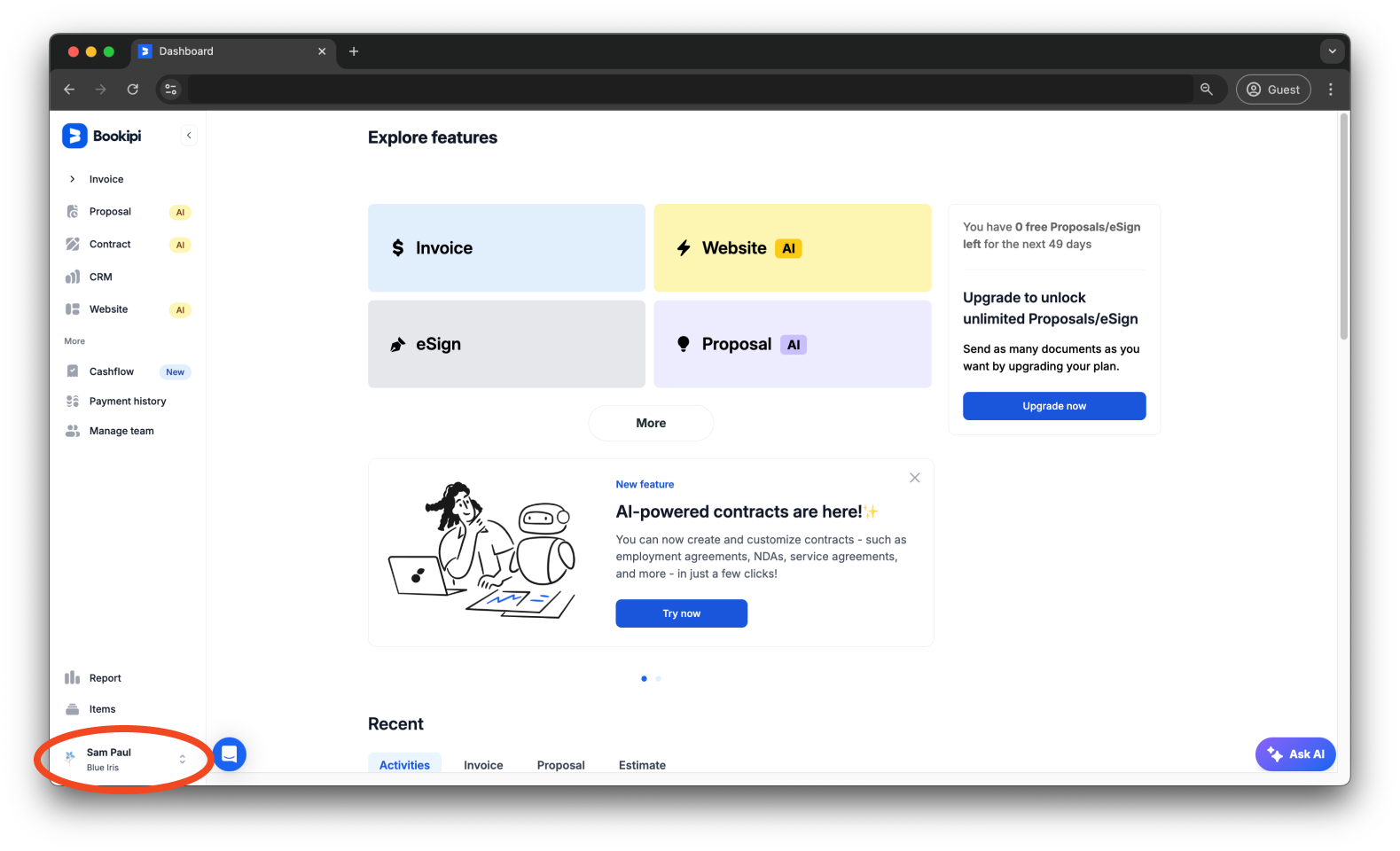
Step 1: Click on your user icon.
Click on the Business icon in the lower-left corner of your dashboard.
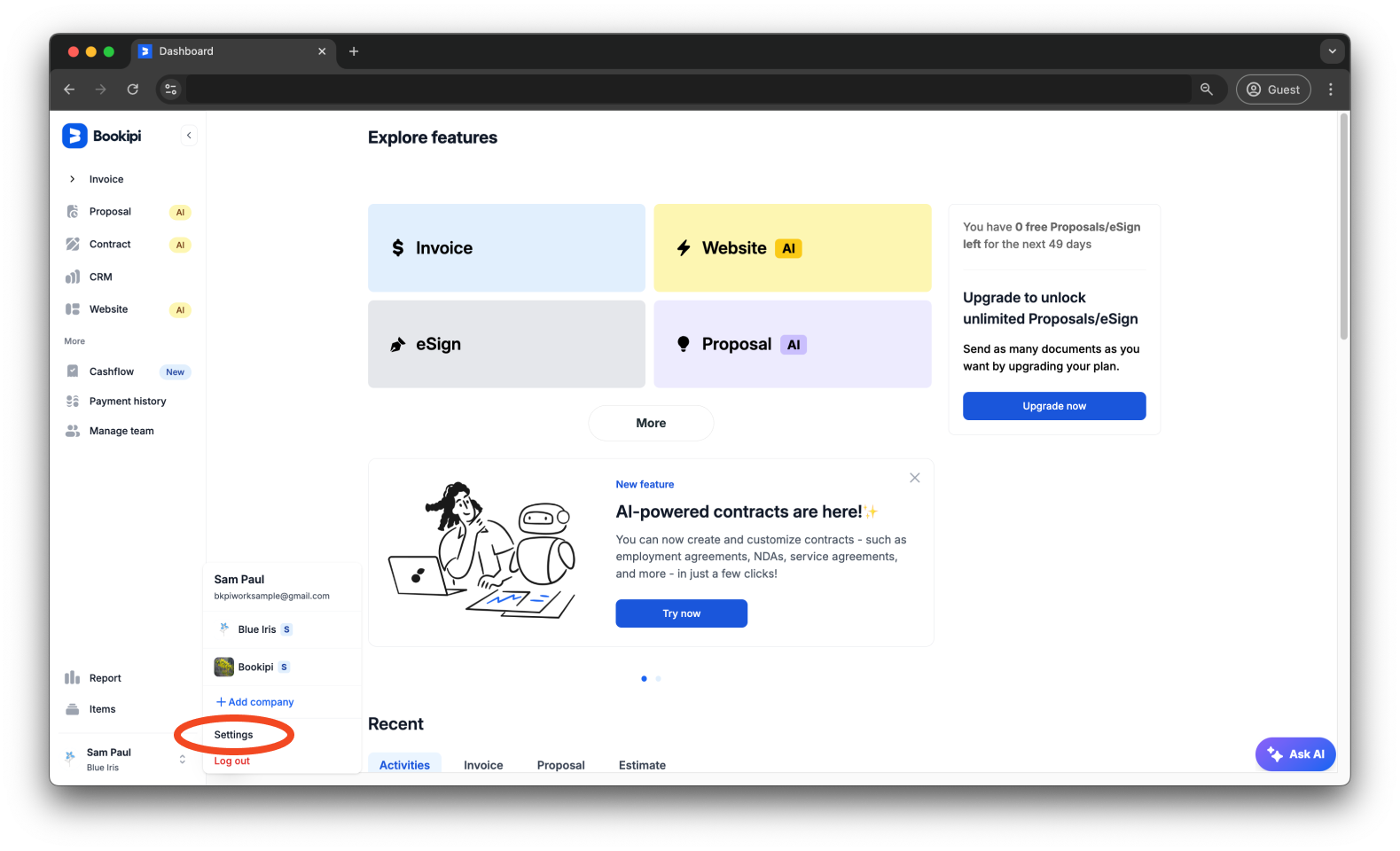
Step 2: Click ‘Settings’.
Select ‘Settings’ from the drop-down options.
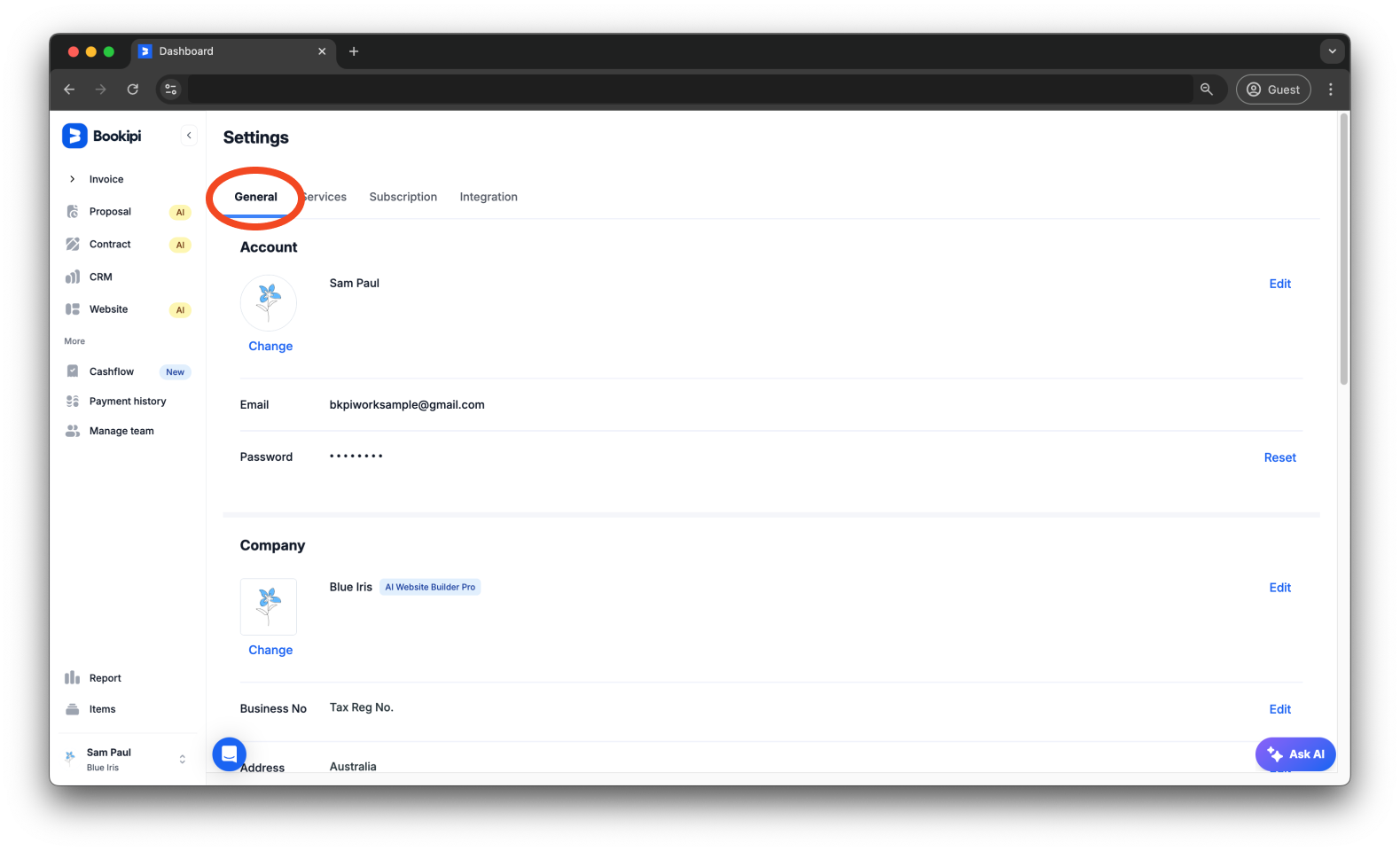
Step 3: Select the ‘General’ tab.
Make sure you are on the ‘General’ tab.
Step 4: Go to the Payment section.
Scroll down to the Payment section and go to the Payment Option subsection.
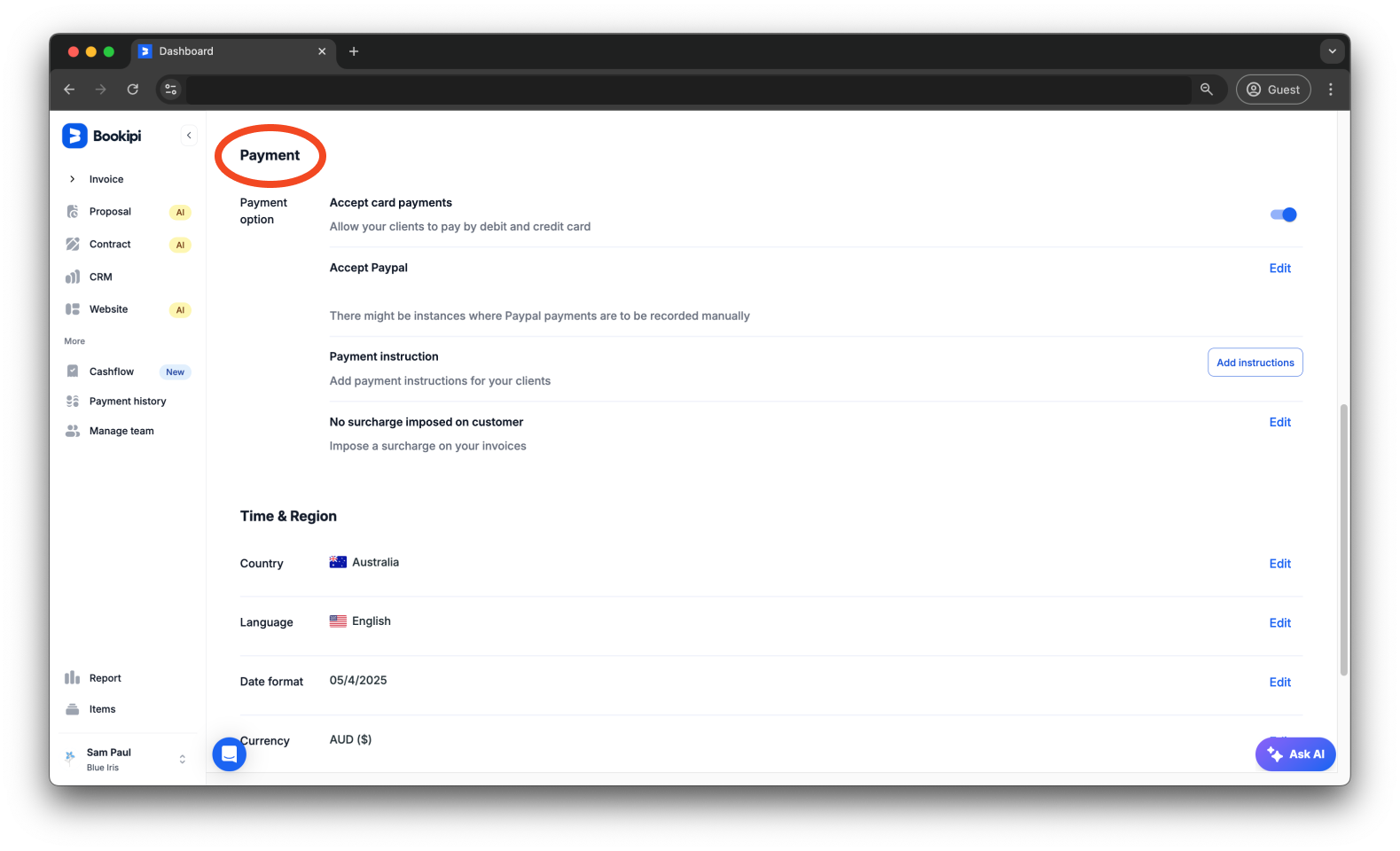
Step 5: Disable the ‘Accept card payments’ option.
Within the Payment option area, switch off the ‘Accept card payments’ toggle.
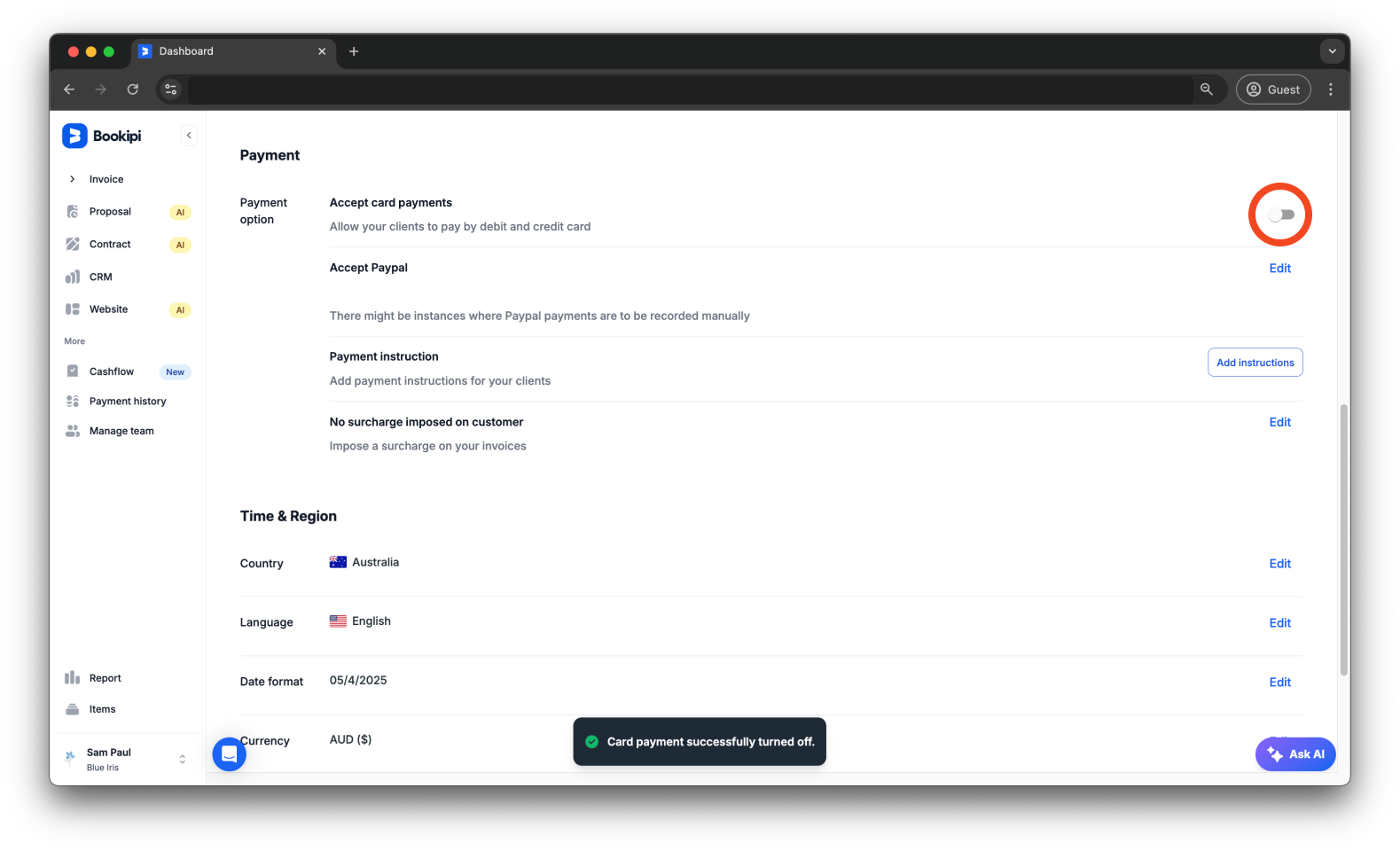
The card payment option for your invoices has now been turned off. Disabling this option immediately prevents customers from paying using a card while keeping other methods active.
Discover more tutorials for Bookipi Invoice on Web v2
Discover more tips on how to get the most out of Bookipi Invoice on Web v2 with our Web v2 guides.
Make sending invoices anytime and anywhere even easier by downloading Bookipi Invoice mobile app and check out our mobile app guides.