
Learn how to change the currency on Bookipi Invoice Mobile App
How to change the currency on the Mobile App
Learn how to change your currency on the mobile app with these simple steps:
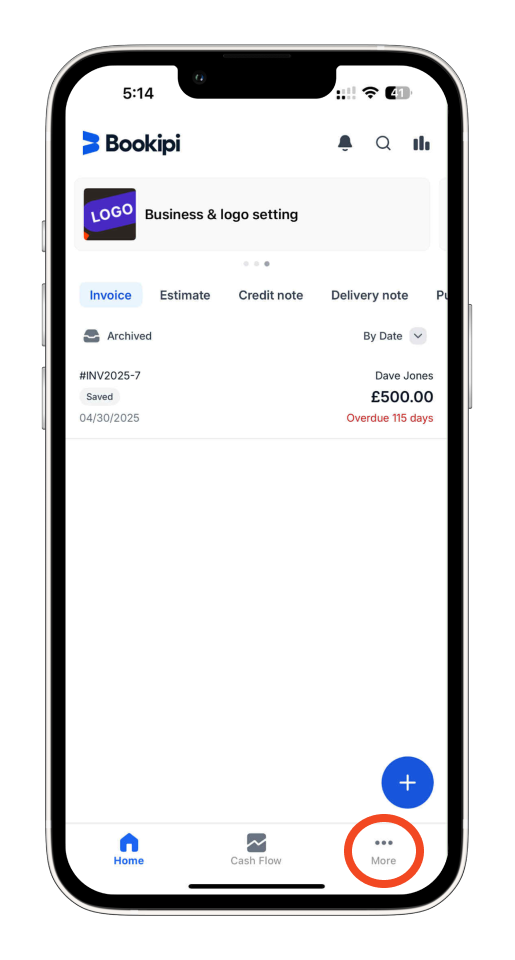
Step 1: Select ‘More’ or the three-dot button.
Tap on ‘More’ or the three-dot button.
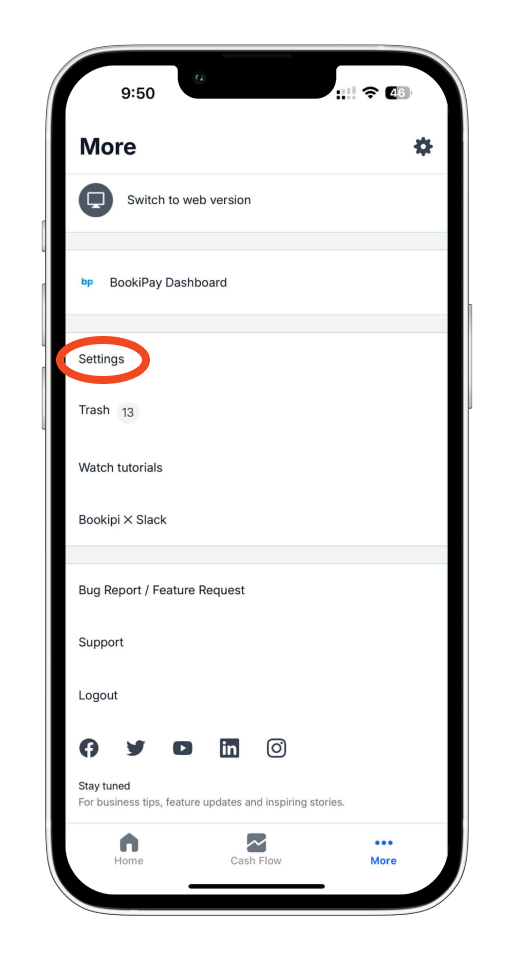
Step 2: Choose ‘Settings’.
Tap on ‘Settings’.
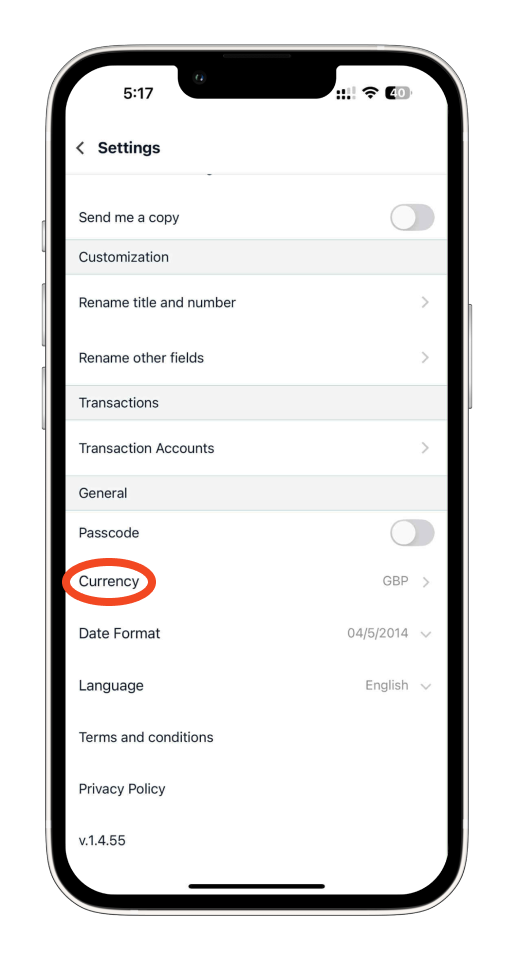
Step 3: Select ‘Currency’.
Scroll down and then tap ‘Currency’ under the General tab.
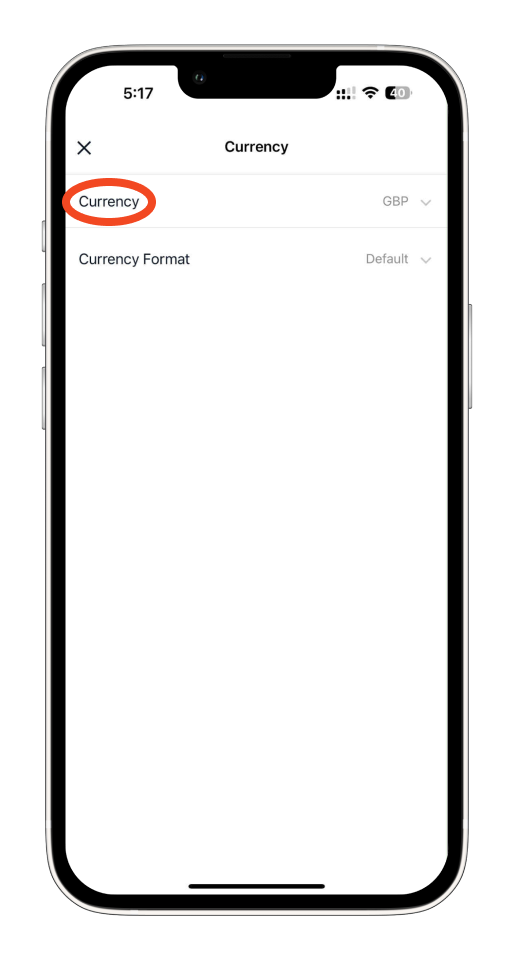
Step 4: Select your customer’s Currency.
Choose the Currency of your customer.
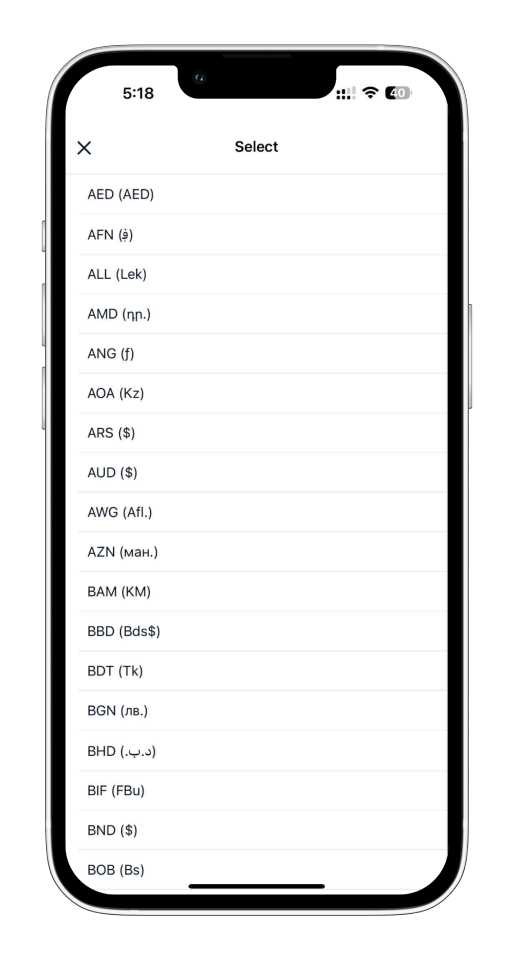
Please note that you can only select one currency for all your documents. If your customer uses a different currency, you’ll need to update it accordingly.
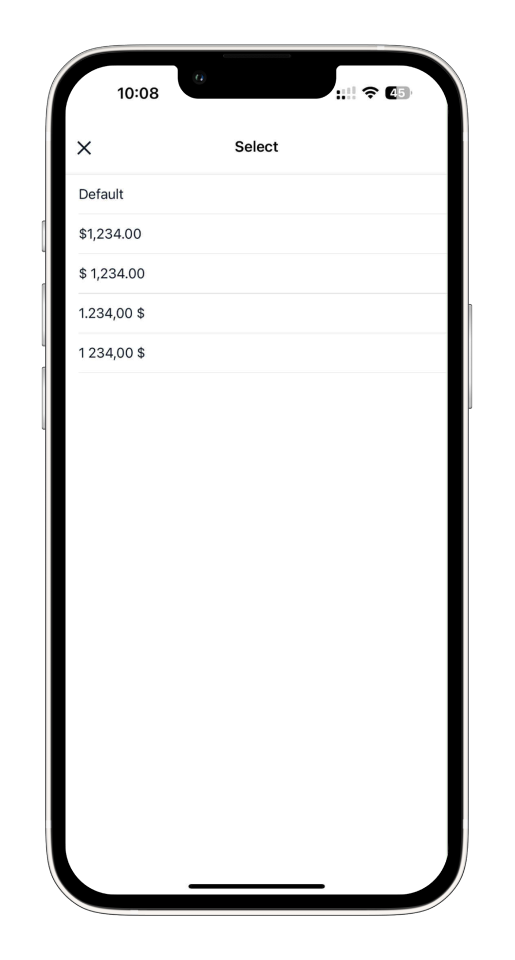
Step 5: Select the currency format.
Select the format of your currency based on your preference.
Common FAQs on how to change the currency on the Mobile App
Q: Can I use multiple currencies for different customers?
A. No, you can only select one currency for all your documents. If a customer uses a different currency, you’ll need to manually update the currency setting before creating their document.
Q: What does the ‘currency format’ option do?
The currency format lets you customize how the currency appears (e.g., symbol placement, decimal style) based on your preferences or regional standards.
Q: Is the currency change applied to past invoices?
Yes, changing the currency will apply to your previous documents as well, but those documents will still display the original currency format they were created with.
Discover more tutorials for Bookipi Invoice Mobile App
Discover more tips on how to get the most out of Bookipi Invoice mobile app with our Bookipi Invoice guides.
Want to send invoices easily? Download the Bookipi Invoice mobile app and check out our Bookipi Invoice mobile app guides.